
Most "free SEO audit" tools spit out a 47-point report that's really a sales pitch, color-coded red so you panic and call them. You don't need that. The checks that actually matter for a law firm site are ones you can run yourself in about an hour and a half, with free tools, this weekend.
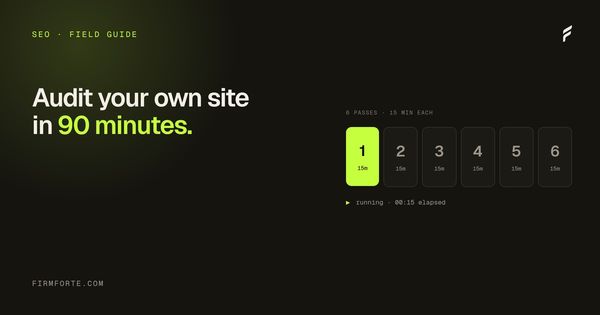
Here's the exact sequence. Six blocks, fifteen minutes each. Set a timer so you don't rabbit-hole on any single thing. One quick prerequisite: you need login access to your own Google Search Console and Google Business Profile to do this properly. If you don't have it, that's its own red flag, and worth reading who owns your law firm website before you go further.
Minutes 0 to 15: can search engines even read your site
No point auditing content nobody's allowed to crawl. Start here.
Type your domain into Google as site:yourfirm.com. That shows roughly how many of your pages Google has indexed. If it returns three results and you have twelve pages, nine pages are invisible. If it returns zero, you have a serious indexing problem and nothing else on this list matters until it's fixed.
Next, visit yourfirm.com/robots.txt in your browser. Read it. You're looking for any line that says Disallow: / blocking the whole site, and whether AI crawlers are welcome. Many law firm sites accidentally block GPTBot, ClaudeBot, and PerplexityBot through a security plugin or Cloudflare setting, which quietly locks you out of getting cited. We covered that exact failure in why your firm shows up in Google but not AI Overviews.
Finally, open Google Search Console and check the Pages report under Indexing. It tells you which pages are indexed and, more usefully, which aren't and why. Write down anything in the "not indexed" column.
Minutes 15 to 30: the five-second homepage test
Open your homepage in an incognito window so you see it the way a stranger does. Now answer, out loud, in five seconds: what does this firm do, where, and who runs it.
If your headline is "Justice. Integrity. Results." you've failed the test, because that headline fits every firm in the country and tells an engine nothing. The homepage should say the practice area and the city in plain words. "Houston patent and trademark attorneys." A real client looking for exactly that should see themselves in the first line. So should an AI engine trying to figure out what you are.
Check three more things while you're here: are there real photos of the actual attorneys and office, not stock images of gavels and skylines; is a phone number visible without scrolling; and does a named attorney appear with a real bio. These are the trust signals that decide whether a visitor stays, and we go deeper in five homepage elements that build trust and the inverse in five design mistakes that kill conversion.
Minutes 30 to 45: your practice-area pages
This is where most firms leak rankings. Pull up your navigation and count: does each service you offer have its own dedicated page, or are five practice areas crammed onto one thin "Practice Areas" page with a paragraph each.
One substantial page per practice area is the baseline. A real estate litigation page. A separate construction defect page. Each one written like it's the only thing you do, with the questions a client actually asks answered on the page itself. A page that mentions trademark work in passing will never outrank or out-cite a competitor whose entire page is about trademarks.
While you're on those pages, look for a FAQ section with real client questions answered in two or three tight sentences each. That format is what AI engines lift for citations, for reasons we explain in how AI engines decide which law firm to cite. No FAQ blocks anywhere on the site is a fast, high-value fix. Also check that your pages link to each other where it's natural. A thin internal linking structure leaves pages stranded, which we cover in internal linking for law firms.
Minutes 45 to 60: local and NAP consistency
Open your Google Business Profile. Is it claimed, complete, and categorized correctly? The primary category should be your main practice area, the hours and address should be right, and there should be recent reviews. The map pack drives a huge share of local calls, and an incomplete profile forfeits them.
Now the tedious but important part. Open four tabs: your website footer, your Google Business Profile, your state bar listing, and your Justia or Avvo profile. Compare the name, address, and phone across all four, character for character. "Suite 200" versus "Ste. 200." A cell number on one, the office line on another. A firm name with an ampersand in one place and "and" in another. Every mismatch splits your firm into weaker, separate entities in the engine's eyes. Make a list of the inconsistencies. Fixing them is unglamorous and one of the highest-return things on this whole audit.
Minutes 60 to 75: the technical quick pass
You don't need to be a developer for this. Three free tools, five minutes each.
Run your homepage and one practice-area page through PageSpeed Insights (pagespeed.web.dev). Look at the mobile score and the Core Web Vitals. Most law firm clients are on phones, so the mobile number is the one that counts. If it's deep in the red, slow load is costing you visitors before they read a word.
Then run a key page through the Rich Results Test (search.google.com/test/rich-results) to see whether you have any structured data at all. If it finds no schema, you're missing the hygiene layer that makes you eligible for rich results. The full list of what you should have is in the seven schema types every law firm website needs. One honest caveat: schema is plumbing, not a magic citation trick, so note it as a fix but don't expect it to move citations on its own.
Last, glance at your page titles in the browser tab. Each page's title should be specific ("Austin Trademark Attorney | Reyes & Park") not "Home" or "Untitled." Generic or duplicate titles are a common, easy miss.
Minutes 75 to 90: are you actually visible in AI
Finish where the field is heading. Open ChatGPT and Perplexity and ask the questions a client would: "best DUI lawyer in Sacramento," "who handles construction defect cases in Phoenix." See whether you're named, whether a competitor is, and which source the engine cites. Perplexity is especially useful here because it shows its sources directly.
If competitors keep coming up and you don't, that's your gap, and it usually traces back to the three signals: are you a recognizable entity, is your practice area corroborated off-site, and are your answers easy to lift. Do a two-minute gut check on backlinks too. Has anyone outside your own site, a bar association, a local paper, a directory, ever linked to or written about your firm? If the honest answer is no, off-site presence is your project, covered in off-site SEO for law firms.
Now fix things in this order
You'll finish with a messy list. Don't try to do all of it. Work in this order, because this is roughly the order of return for a small firm.
- Anything blocking indexing or crawling. A site engines can't read can't be fixed by anything below it.
- NAP inconsistencies and an incomplete Google Business Profile. Cheap, fast, and they pay off in both local visibility and AI entity recognition.
- A homepage and practice-area pages that name what you do and where, in plain words, with real photos.
- FAQ blocks with real client questions answered tightly, on your main pages.
- Everything else: schema, speed, internal links, titles. Real, but lower-return than the four above.
That's the same sequence we'd run in the first weeks of an SEO for law firms engagement, minus the part where we do it for you. If you want a second set of eyes on what you found, send us the URL and we'll check it, free, and tell you the single fix most worth your time. The comparison of what agencies charge to do this is in law firm SEO pricing in 2026, and the difference between SEO and the AI-citation work is in AEO vs SEO for law firms.