
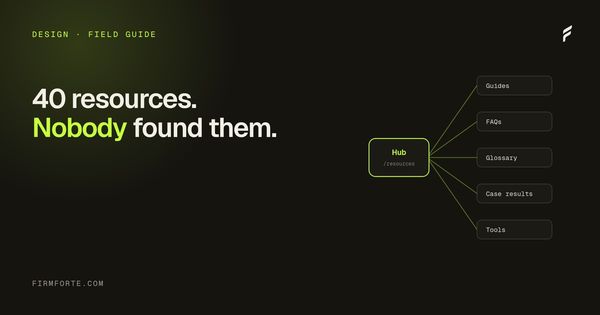
A family law firm in Chicago had everything a knowledge base is supposed to have. Forty resource pages, written by the senior partner over six years. A glossary of fifty terms. Two custom calculators, one for child support estimates and one for spousal maintenance under Illinois 750 ILCS 5/504. A blog with sixty posts. The site looked thorough.
They sent us Search Console and Analytics. Organic traffic was healthy: 6,800 monthly visits. The problem sat downstream. Average pages per session: 1.2. Time on the resource hub landing page: 18 seconds. The two calculators, which were the firm's strongest conversion asset, pulled 14 visits a month between them.
Visitors found one page through Google, read it, and left. They never discovered the rest of the site. The firm had content. It didn't have a knowledge hub.
The difference, in one paragraph
A blog is a chronological feed. A knowledge base is a stack of question-format pages (we wrote the case for that approach in build a knowledge base, not another blog). A knowledge hub is the destination that organizes both, plus glossary, calculators, comparison content, and reading paths, into a single coherent home. The hub is the layer most law firm sites skip.
Three jobs sit on one page.
Orient the visitor by intent, not date. Someone arriving on the hub doesn't want "recent posts." They want "I'm going through a divorce in Cook County, point me at the right four pages." A blog can't answer that. A hub can.
Surface every piece of long-tail content the firm has produced. Calculators that nobody finds are calculators that didn't get built. The hub is the index that makes orphan assets visible.
Present the site as a coherent knowledge destination to AI engines. ChatGPT, Perplexity, and Google's AI Overviews weight pages that sit inside structured collections higher than scattered orphan content. The hub is the structural signal that says "this firm publishes systematically."
Our own version exists at our field guide. Three reading paths, four topic clusters, a glossary, ten Q&A cards, a roadmap of what's coming next. Steal whatever works.
The five components that make a hub real
Skip any of these and you've built a links page, not a hub.
The destination, not a feed
The knowledge hub
One page that orients visitors by their situation, not by date, and presents the whole library as a single collection an AI engine can read as one publication.
Reader-first hero
"Who this is for, start here" — not "welcome to our blog."
Reading paths
3–5 articles per reader stance ("if you've just been served"). Build this one first.
Topic clusters
Grouped by subject, with article counts shown so scope is visible.
Glossary
Plain-English terms that double as clean entity definitions for engines.
Tools
Calculators and checklists. Convert 5–10× any other page type.
One. A hero that orients by reader, not by chronology. The hero answers "who is this for and where should I start." Not "welcome to our blog." A reader-oriented hero might say "Forty-three articles for divorce, custody, and post-decree clients in Illinois. Tell us your situation and we'll point you at the right ones." That single sentence shifts the page from museum to map.
Two. Curated reading paths. Three or four short tracks of three to five articles each, designed for distinct reader types. "If you've just been served." "If you're choosing an attorney." "If you're modifying an existing order." Each track has a time estimate ("~25 minutes") and a sequence. Reading paths solve the analysis paralysis that kills 78% of resource-hub visits. They also give the firm a way to put a stake in the ground about how their content connects, which is exactly what AI engines reward when deciding what to cite.
Three. Topic clusters with article counts. Below the reading paths, list the topical clusters: child support, custody, post-decree modifications, prenups. Each cluster has its article count visible ("12 articles") and the titles below as scannable cards. This is the home for the FAQ pages that came out of the firm's knowledge-base work. The cards link directly to the underlying pages. No intermediate "category" page that adds a click and adds nothing else.
Four. A glossary. Ten to fifty terms, defined in plain English, ideally cross-linked into the article pages where they appear. The glossary does two unrelated jobs at once. It helps the visitor decode legalese (a parent dealing with custody for the first time doesn't know what "GAL" means). And it gives AI engines a place to extract clean entity definitions, which raises citation rates on the underlying topical pages. We cover the entity mechanics in the entities SEO guide.
Five. Tools and interactive content. Calculators, comparison tables, checklists, decision trees. The Chicago firm's child support calculator should have been the centerpiece of the hub, not an orphan page at the end of a sitemap. Tools earn return visits, drive referrals (people email links to their cousin going through the same thing), and convert at five to ten times the rate of any other content type. A law firm hub without at least one functional tool is leaving the highest-converting page type on the floor.
Reading paths are the highest-leverage component
If you only build one of the five, build reading paths. They take a weekend of writing and they make the rest work.
The trick is to design them around reader types, not topics. Topics already exist (your clusters cover them). Paths cover situations. A divorce client at the "just served papers" stage and a divorce client at the "modifying child support five years later" stage are technically in the same practice area, and they need wildly different first-five articles. The path is the disambiguator.
Three rules for designing them.
One, keep them short. Three to five articles. Anyone who reads five articles on your site is already most of the way to filling out the consultation form. Don't pad.
Two, lead with the highest-trust article in the sequence, not the most basic one. A path that opens with "Divorce 101: an overview" loses readers in seven seconds. A path that opens with "What happens at the first hearing after you're served in Cook County" pulls them in because it answers the exact question they're already typing into Google.
Three, give each path a position. "If you're choosing an attorney" is good. "Useful articles for prospective clients" is dead. The path needs a stance. The reader needs to feel "yes, this one is mine."
For the navigation logic that connects paths and clusters together, see internal linking for law firms. Reading paths are the user-visible layer. Internal linking is the hidden wiring that makes them work for SEO.
How AI engines read a knowledge hub
This part is where the AEO arbitrage lives. Most law firm sites either have no hub or have a hub with zero schema. A properly marked hub is legible to ChatGPT and Perplexity as a structured collection, which raises citation rates on every page inside it.
Three schema types do the work.
CollectionPage on the hub itself. This tells the AI engine "the page you're reading is the index, the content lives in the child pages." Without it, the hub gets indexed as a thin landing page and the engine never builds the parent-child relationship.
ItemList nested inside the CollectionPage. Each topical cluster becomes an ItemList with the cluster's pages as ListItem entries. This is what tells the engine "these eight pages are about custody, these twelve are about modifications, these five are post-decree."
BreadcrumbList on every child page pointing back to the hub. This is the return link that completes the structure. AI engines build entity graphs by walking these breadcrumbs.
None of this is visible to the visitor. All of it is visible to the engines. The combination of CollectionPage and ItemList shifts a knowledge hub from a links page to a recognized publication, and recognized publications get cited.
A minimal CollectionPage looks something like this:
{
  "@context": "https://schema.org",
  "@type": "CollectionPage",
  "name": "Family law field guide",
  "description": "Articles, calculators, and definitions for divorce, custody, and post-decree clients in Illinois.",
  "url": "https://example-firm.com/resources/",
  "mainEntity": {
    "@type": "ItemList",
    "itemListElement": [
      {
        "@type": "ListItem",
        "position": 1,
        "url": "https://example-firm.com/resources/served-divorce-papers-illinois/"
      },
      {
        "@type": "ListItem",
        "position": 2,
        "url": "https://example-firm.com/resources/first-hearing-cook-county/"
      }
    ]
  }
}
Validate every hub schema block at Google's Rich Results Test before deploying. For the FAQPage schema that goes on each individual child article, the ChatGPT citation playbook walks through the exact JSON-LD pattern. Both pieces of schema have to be valid for the hub to function as the AI engines expect.
The four mistakes that kill knowledge hubs
We've audited maybe sixty law firm sites with some attempt at a hub. The same failure modes show up over and over.
Generic categories instead of reader stances. "Articles," "Resources," "FAQs," "News." Dead navigation. The visitor has to translate categories into their situation. Hubs that work do the translation for them. "If you've been served." "If you're modifying." "If you're representing yourself." Categories describe the firm's perspective. Stances describe the reader's.
Hub as link list with no curation. The "Recent posts" / "All articles A-Z" / "Browse by author" hub. Nothing here is wrong, but nothing here is curated either. The reader has to do all the sorting work. Hubs work when the editorial layer makes a recommendation. "Start here." "If you're new to all this." Curation is the value.
No reading time or article count. Tiny detail, big effect. A path that says "~30 minutes, 3 articles" gets twice the click-through of one that says nothing. People read more when they know what they're committing to. Same applies to the cluster article counts. Visible scope drives engagement.
Buried below the fold or in the footer. The hub deserves a primary nav slot. "Resources," "Field guide," or "Learning center." If it's reachable only through a footer link, you're treating it as supplementary. Visitors will too. Hubs that get used are hubs that are visible from the homepage in the first scroll.
A fifth issue worth flagging: stale "Coming next" sections. If the roadmap on the hub has been promising the same three upcoming articles for fourteen months, the hub looks abandoned, not active. Either ship the queued pieces or remove the roadmap. We talk about why active publication signals matter for AI citation in the E-E-A-T guide.
What to measure
A hub is working if four metrics move in the right direction over a quarter.
Pages per session. Pre-hub baseline is usually 1.1 to 1.4. A real hub pushes this to 2.5 or higher within ninety days. The hub creates a second page view by definition. If it doesn't, the navigation is broken.
Hub landing page conversion to internal navigation. Of visitors who land directly on the hub, what percentage click through to a child page? Target above 55%. Below 30% means the cards or paths aren't compelling. The hub looks pretty and reads boring.
Tool engagement rate. Of hub visitors who reach the calculator or the comparison table, how many complete the interaction? Target above 40%. Below 20% means the tool isn't oriented well or asks too many questions before delivering value.
AI citation rate on hub-organized content. Run twenty of your highest-intent queries through ChatGPT, Perplexity, Claude, and Google AI Overviews once a quarter. Count citations of your child pages. Hub-organized content should see citation rates climb roughly two to three times over six months versus orphan content. If it doesn't, the schema is either wrong, incomplete, or being blocked by your robots.txt. The snippet and AI Overview mechanics piece walks through how to check.
This is custom work, and that's the point
Knowledge hubs aren't a template you drop in. Every firm has a different starting point. Some have eighty blog posts to consolidate. Some have nothing and need every page written fresh. Some have great calculators sitting on the wrong URLs. Some have a glossary that needs ten more terms, and some have one that needs to be deleted and rebuilt around what clients actually ask.
The Chicago firm needed five things, in this order: delete 35 of their 60 blog posts, consolidate 24 of the survivors into the cluster pages, write nine new pages to fill cluster gaps, build the hub itself with paths and clusters and the existing glossary repositioned, and surface the two calculators in the hub hero. Total content investment after the rebuild was lower than what they'd been spending in two months of the old approach.
Pricing for this kind of work depends entirely on what you already have. We've built hubs that came in at the high end of our Launch tier ($3,500) for firms with strong existing content that just needed reorganization. We've also built them as multi-month projects for firms that needed everything written from scratch. The honest answer is that nobody can quote you accurately without looking at your current site.
Send us your URL. We'll do a structural audit and come back with a real quote for what your firm specifically needs. Free, no card required, no obligation to hire us afterward.